LinkedIn banner: what should you put on your profile?
What is a LinkedIn banner? What are the benefits of having a LinkedIn banner? What tips exist for creating the perfect LinkedIn banner? What are the steps to add a banner to your LinkedIn profile? Whether it’s tips or key points, we will go over everything you need to know about creating a LinkedIn banner.
If the LinkedIn profile photo is important, the LinkedIn banner is just as much. Often forgotten or even neglected, it is nonetheless very useful for anyone or any company wishing to stand out among the 23 million active users per month. When well designed, this LinkedIn background image provides many significant advantages.
For everything you need to know about creating a LinkedIn banner, this way!
What is a LinkedIn banner?
A LinkedIn banner, also called a LinkedIn cover photo, is the section that appears next to the profile photo. It is one of the first elements people see when they view your profile. That’s why it needs to be perfect.
LinkedIn provides a default banner: a gray image with lines. The problem is that it’s uninteresting and the same for all profiles.
It is recommended to choose a banner that highlights your values and skills with a beautiful design and text that speaks to your target audience.
Why have a LinkedIn banner for a job search?
A banner greatly contributes to the success of a profile on LinkedIn. Just like logo design for businesses, creating a LinkedIn banner offers many advantages highly appreciated by job-seeking candidates or companies looking to develop their online communication. Therefore, it is an important element of a LinkedIn profile.
Adding a LinkedIn banner will:
- Make your profile more attractive
- Inform about your field of activity
- Help showcase your skills
- Give your profile some credibility
- Make people want to learn more about you
- Encourage people to get in touch with you
- Improve your visibility on LinkedIn
These advantages clearly demonstrate that a LinkedIn banner consequently helps increase your chances of finding a job or strengthening your presence on that well-known social network.
How to create the perfect LinkedIn banner?
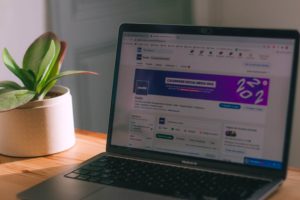 A perfect LinkedIn banner or LinkedIn cover image should be sharp and understated with quality design. It is advisable not to overload it with text since other sections are dedicated to descriptions. Please comply with the conditions set by LinkedIn:
- The image size must be 1584 x 396 pixels.
- The file size must not exceed 8 MB.
- The format may be png, gif, or jpeg.
Consider choosing a banner that matches your business and audience. For a marketing banner, it is recommended that it be simple, clean and effective so as to clearly convey the promise you offer. Do not put photos of your pets unless you are a veterinarian. Please use more professional images.
To create a banner LinkedIn, it’s simple with the Adobe Express design tool. Easy to use, you can create a professional-looking banner in minutes. You have thousands of templates. Get inspired by ideas and add your style with photos, icons, logos and fonts.
What are the steps to add a banner to your LinkedIn profile?
Adding a LinkedIn banner can be done in just a few steps, both in the browser and via the LinkedIn app.
Step 1: sign in to LinkedIn
Sign in to LinkedIn with your account details.
Step 2: go to the profile home page
Click the icon (a camera) that appears at the top right of your banner.
Step 3: tap edit profile background
You can now upload the visual created on Adobe Express. Please click open to start the upload.
Step 4: make sure of the proper layout
Once the visual is uploaded, you can better adjust and position it correctly so it doesn't look like a rushed job.
Step 5: Click save
Don't forget to click save to confirm adding the banner.
We support your web project from A to Z
France Web-Design supports you on all aspects of your SME's online communicationSpecific advice
We advise you throughout our collaboration on best practices to optimally enhance your SME's website
100% Secure
Your company's website is protected by the SSL / HTTPS protocol and through regular website maintenance, as well as module updates
High visibility
You benefit from strong visibility thanks to the creation of unique content optimized for your industry, as well as the addition of professional translations.
Testimonials
«Website compliant with the specifications, attractive price»
Discover the site: Town Hall of Ste Marguerite sur Mer – created with France Web-Design
"It is a total satisfaction to work with France Web-Design. The site created truly exceeds my expectations. »
Discover their website: French psychologist in Berlin – created with France Web-Design
« A professional approach and a job well done. »
Discover their website: Fuji Elevators – created with France Web-Design
Our latest web creations
Discover our latest web creations for
SMEs, professionals & craftsmen
Psychologist
Ms. Bernat entrusted us with the redesign of her private practice website – psychologist, for a launch in 2020
Bed and breakfast
Creation of a website for bed and breakfasts in Normandy
Dentist
Website creation for a dental practice
Town hall
Redesign of a Normandy town hall's website. Video, photography, and live webcam creation
Agency
Website creation for a communications agency, redesign of the graphic charter and logo
Installer
Creation and setup of the website for a kitchen installer. Integration of the client’s logo
Real Estate Agency
Saint Denis Immobilier called on us for the redesign of their website which included many technical constraints
Importer
Development of the FUJI elevators website: importer in Annecy